Personal access tokens (PATs) let scripts, agents and MCP clients authenticate as you without your password or a browser session. Manage them at /_/settings/access-tokens.
Create a token
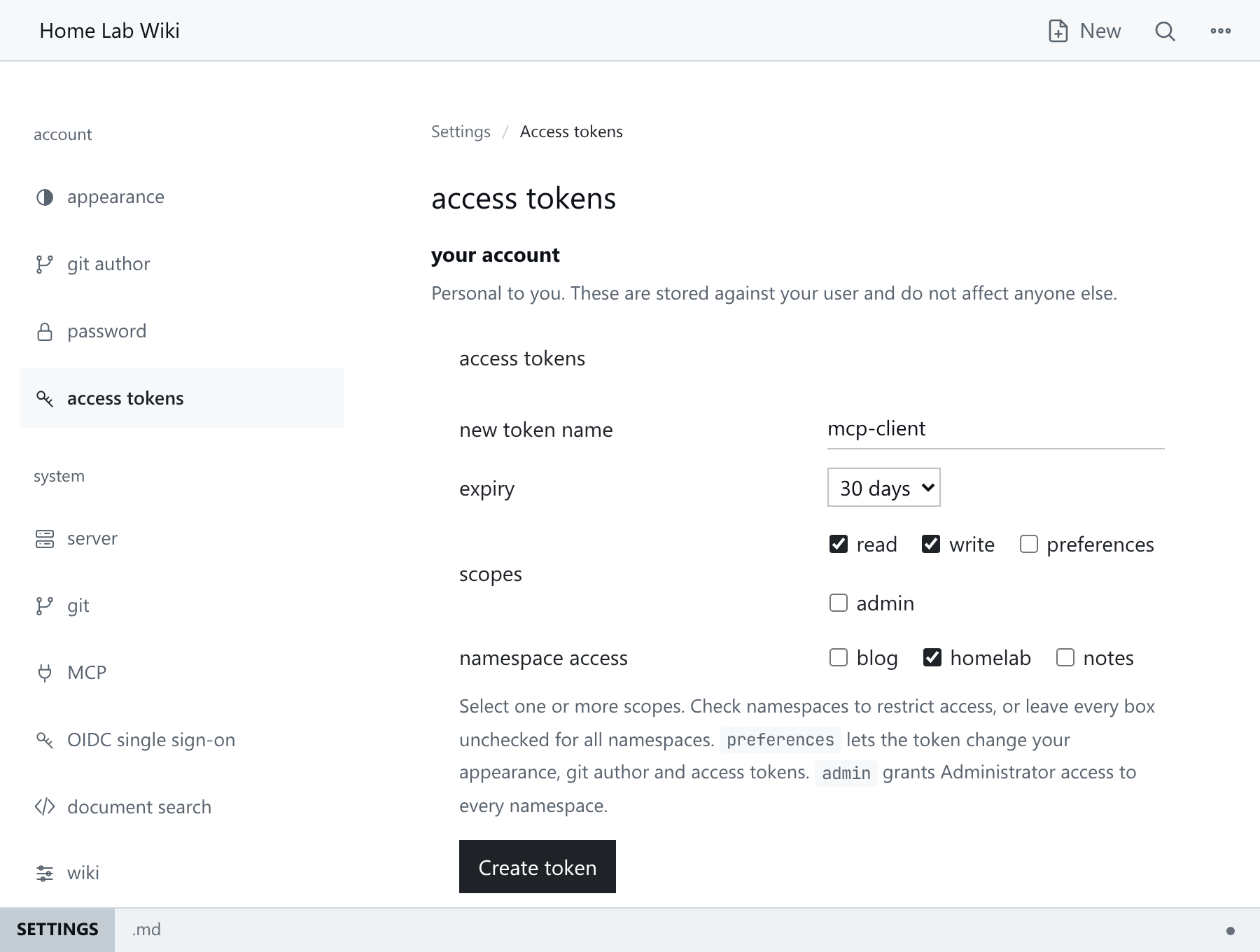
- Open
/_/settings/access-tokens. - Name the token after its client, for example
claude-code. - Choose an expiry: 1 day, 7 days, 30 days (default), 1 year or never.
- Select at least one scope:
read,write,preferencesoradmin. The form offers the scopes you hold, pluspreferences. - Leave all namespace boxes unchecked for every namespace, or check the namespaces to limit the token to.
- Click Create token.
The token value appears once, above the form. Copy it now: HMD stores only its SHA-256 digest.
Scopes
| Scope | Allows |
|---|---|
read |
Viewing pages and search. |
write |
Anything that writes: saving, renaming, tagging, uploading. |
preferences |
Changing your own appearance, git author and access tokens. Without it a token cannot touch your account. A token it creates cannot have more scopes or namespaces than its own. |
admin |
Administrative access to the system and namespace sections of /_/settings; implies the other scopes. OAuth browser sections still need a browser session. |
- A token's scopes never exceed its owner's; every user may grant
preferences. Reducing a user's scopes limits their existing tokens on the next request. - An
admintoken ignores namespace restrictions and is labelledAdministratorin the token list. - Namespace restrictions hide other namespaces completely, including from search, tags and health reports.
Use a token
Send it as a Bearer credential to the API or MCP endpoint. Tokens start with hmd_ followed by 64 hexadecimal characters.
curl -H "Authorization: Bearer hmd_..." https://wiki.example.com/_/api/health
Revoke a token
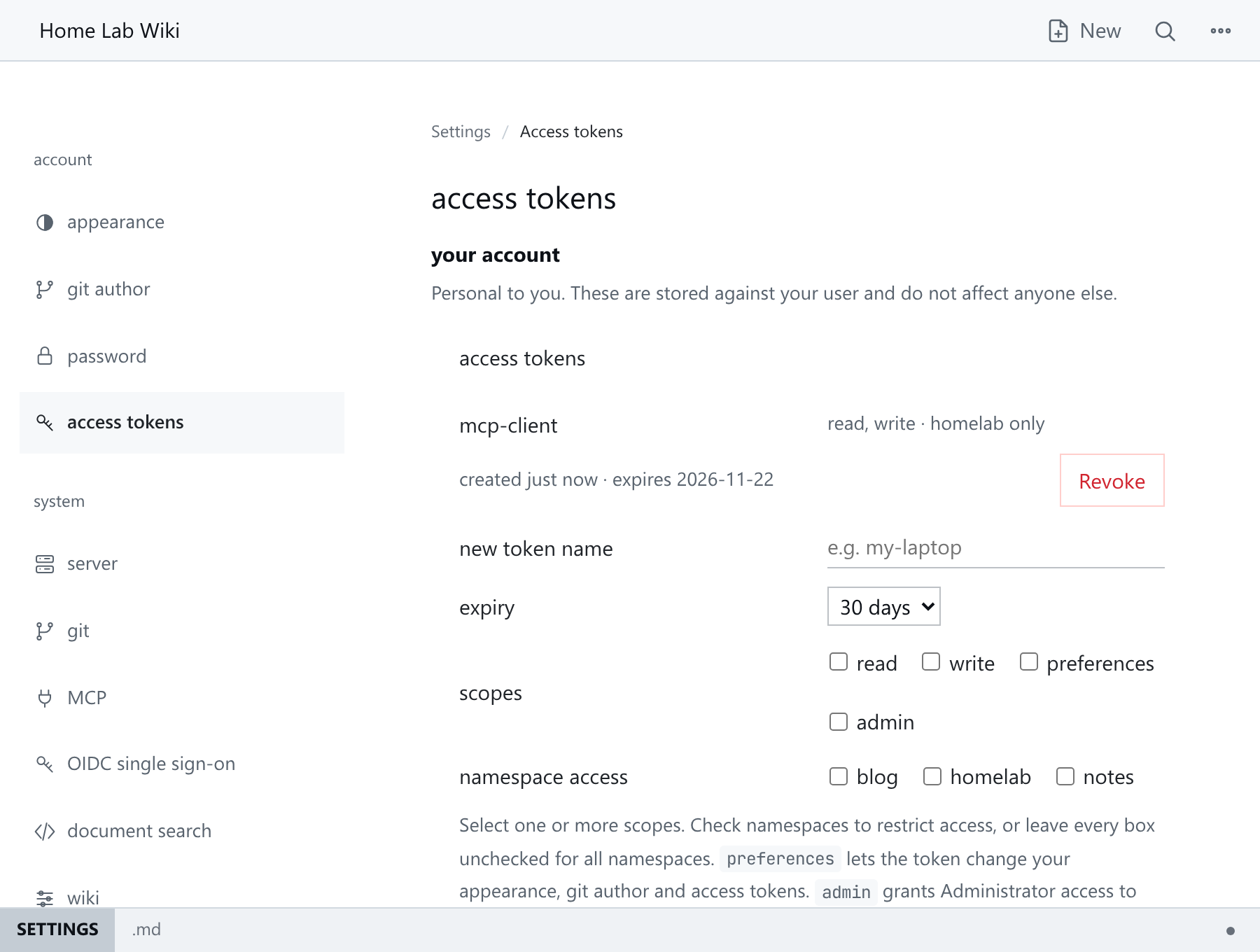
Click revoke next to the token in the same section. Revocation applies immediately. Revoke any token that may be exposed or whose client is retired.
Limits
- Each user can have at most 64 tokens, and names must be unique per user.
- Tokens cannot log in to the web UI, and revoking one does not end your browser session.
See Settings And Administration, Authentication And Access and MCP Integration.