Settings live at /_/settings/<section>. Each panel has its own shareable URL, such as /_/settings/git-author or /_/settings/users; Appearance is the default.
Where settings live
| Surface | Route | What it holds |
|---|---|---|
| Personal | /_/settings/appearance |
Appearance, git author identity, password, access tokens. |
| Instance | /_/settings/server |
Server, Git, MCP, OIDC, document search, users, environment overrides. |
| Namespaces | /_/settings/namespaces |
Per-namespace visibility, navigation and page-creation defaults. |
| Connected applications | /_/settings/connections |
Your OAuth connections and disconnection controls. |
| MCP OAuth clients | /_/settings/oauth-clients |
Administrator-managed client registrations. |
| Wiki | .wiki.yaml in the repository |
Site name and landing path. |
- Personal settings are open to every signed-in user. Instance, namespace and OAuth client settings need the
adminscope. - Connected applications need a signed-in browser session, not administrative access. A bearer token cannot access either OAuth browser section.
- Connected applications and MCP OAuth clients appear only when OAuth is enabled. Environment overrides is under Advanced.
Personal settings
These sections store your account settings in users.json:
- Appearance: skin, palette, and UI and code fonts; see Skins And Palettes. A choice applies to every page in this browser straight away, with an Unsaved appearance notice offering Save and Discard until you save it. The top-bar theme control (System, Light, Dark) is stored in this browser.
- Git author: your commit identity as
Name <email>, which overrides the instance default. - Password: change your own password with your current password and confirmation of the new one. Other browser sessions are signed out. Single sign-on users manage their password at their identity provider and do not see this panel.
- Access tokens: personal access tokens for API and MCP clients; see Personal Access Tokens.
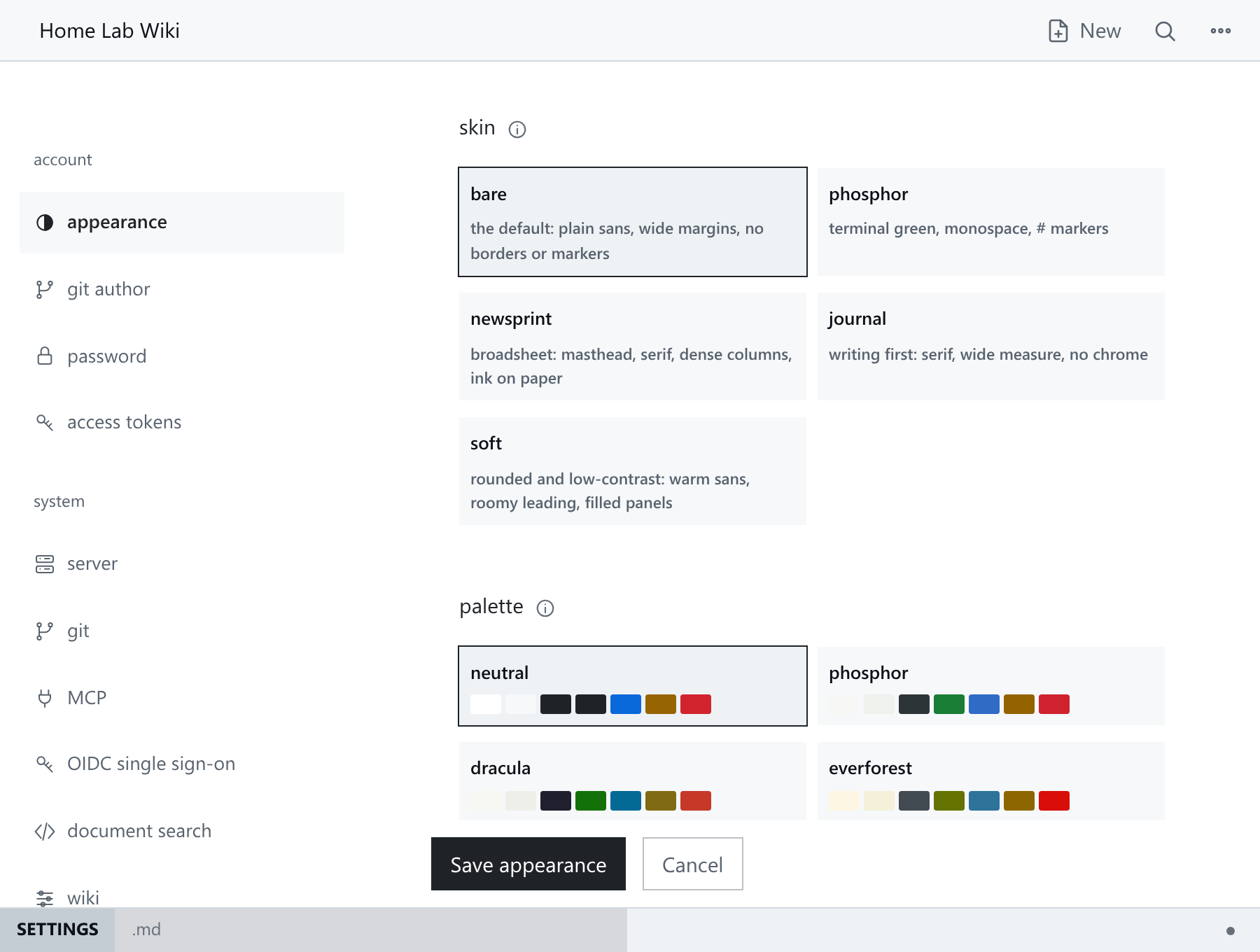
Instance settings
The system sections write config.yaml; see Configuration.
- Server: bind address, repository directory, origin, proxies, read-only mode, upload limit, default skin, logging.
- Git: remote URL, user, token file path, default author, branch, sync mode, poll interval.
- MCP: MCP and OAuth configuration.
- OIDC single sign-on: non-secret identity-provider configuration.
- Document search: Tika endpoint, model and storage directories.
- Wiki: site name, landing destination, re-run setup.
- Users: list every account, add users, change scopes, reset local passwords and delete other users; see Authentication And Access. Resets sign the user out everywhere but keep tokens and OAuth connections; deletion revokes those too. The last administrator cannot be demoted or deleted, and administrators cannot demote or delete themselves.
- Environment overrides: effective
HMD_*overrides and configuration export. Export writes non-secret file settings only.
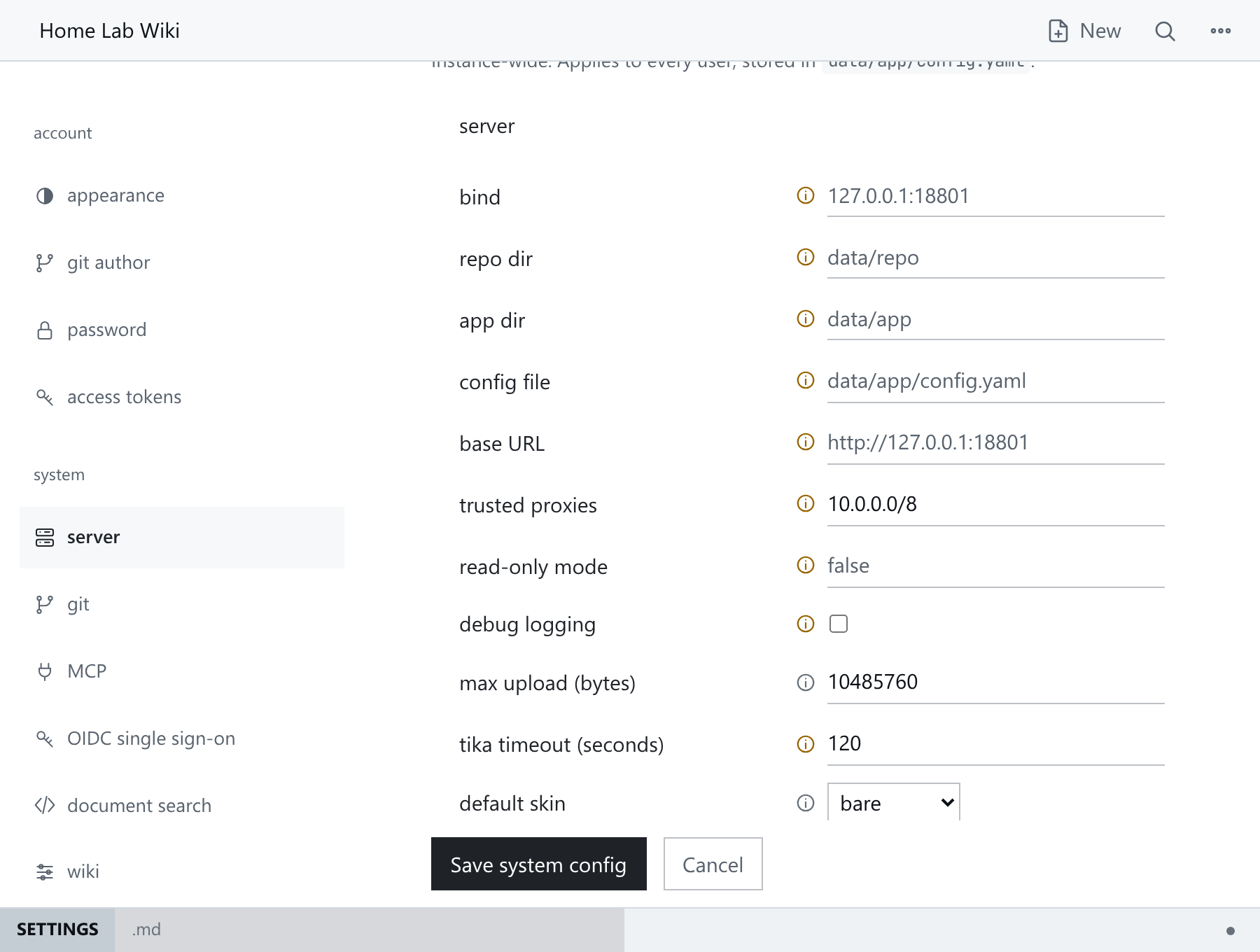
Namespace configuration
/_/settings/namespaces lists every namespace and links to its editor. Each namespace has visibility (public or private), description, index page, sidebar tree order, skin and palette, quick-create behaviour and widget set, stored in .namespace.yaml. See Namespaces.
- New namespace:
/_/settings/namespaces/new. - Editor:
/_/settings/namespaces/notes/edit(General), plus/edit/published,/edit/static-siteand/edit/widgets. - Export and preview actions are on the namespace list; the Static site page also offers preview.
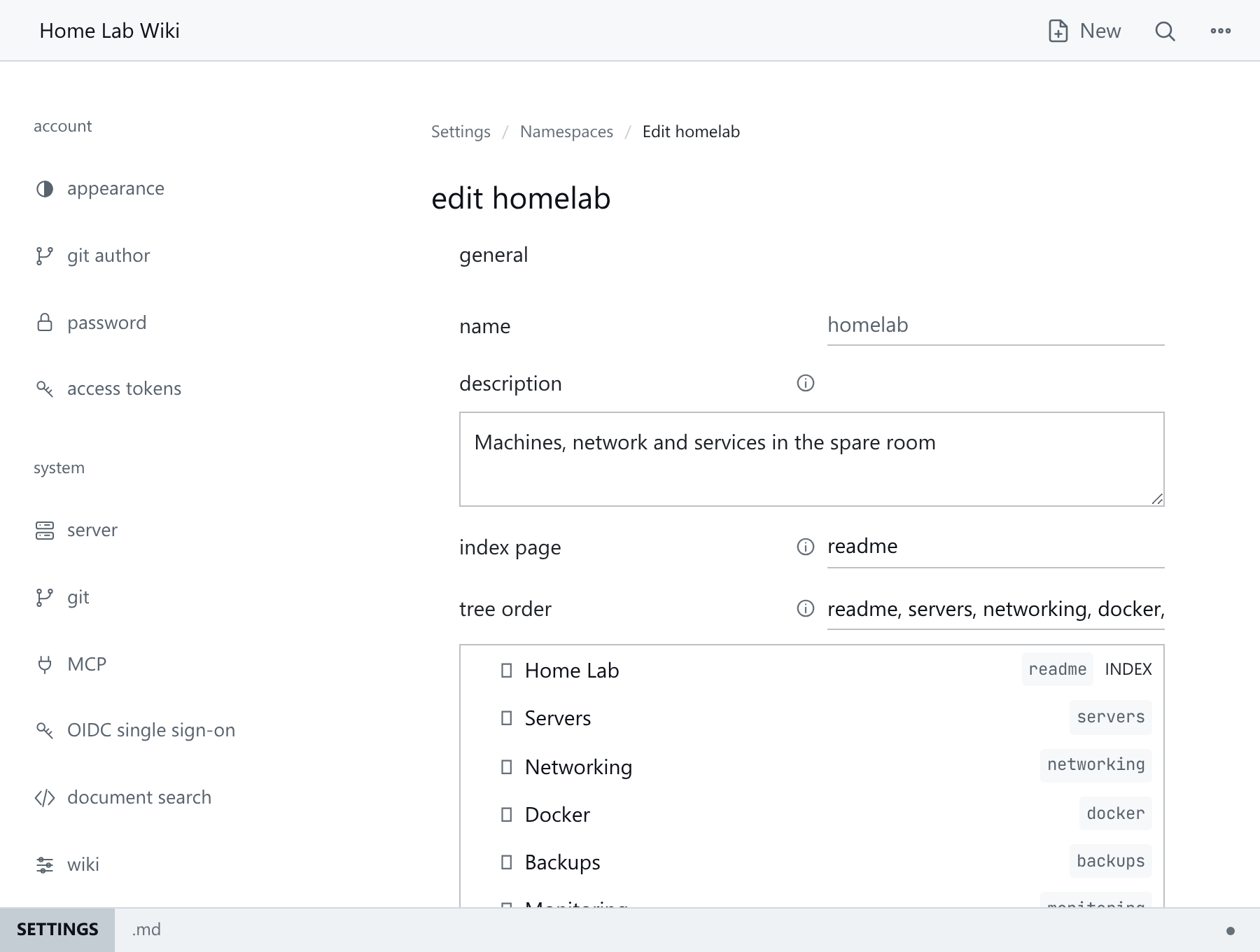
Wiki configuration
.wiki.yaml at the root of the content repository stores the site name and landing path. Edit it at /_/settings/wiki; see Wiki Configuration Reference.
Banners
Administrators see banners at the top of every page when something needs attention. Only the read-only banner and the Unsaved appearance notice show to other users. Each can be dismissed with its close button, and all of them return the next time you sign in. Red banners always come first.
| Banner | Shown when |
|---|---|
| Sync failed | The last Git sync failed. It links to Settings → Git and shows no error detail; see Monitoring And Maintenance. |
| Search is out of date | Some pages could not be added to the search index. HMD keeps retrying in the background. |
| Settings need a restart | Saved settings are waiting for a restart. It has a Shut down button. |
| Attachments need attention | Attachments are still in the old shared folder; see Attachments. |
| Help page changed | The wiki's .help.md differs from the built-in help for this version. Reset to built-in in the settings brings it back. |
| Bootstrap credentials still set | Either bootstrap environment variable remains configured. They only create the first account and are ignored afterwards; remove them and manage accounts under Users. |
| Read-only mode | The instance is read-only, so settings are view-only. Appearance still works and is kept in this browser. Only administrators are told which environment variable to unset. |
When several banners show, the first is in full and the others sit behind it as thin strips; dismiss the first to see the next.
Common pitfalls
- Fields set via
HMD_*environment variables are read-only. Each field's info tooltip shows its environment override, storage location and restart requirement. HMD_ADMIN_USERandHMD_ADMIN_PASSWORDonly create the first administrator whenusers.jsondoes not exist. Afterwards that account is managed under Users like any other, and these variables do not appear under Server. Use offline-reset-adminrecovery if administrator access is lost.- Git and OIDC secrets must come from environment variables or private referenced files, never
config.yamlor UI inputs; see Configuration. - Read-only mode (
HMD_SERVER_READ_ONLY) makes settings view-only, apart from Appearance, which is kept in the browser. Unset it and restart to change them. - Settings that need a restart keep their running value until HMD restarts. The restart banner lists them, with a Shut down button that stops HMD so its supervisor can start it again.
Next: Personal Access Tokens.
Personal Preferences Reference
This table comes from the pinned HMD release's preferences schema. Preferences are stored per account in users.json and have no environment overrides.
| Key | Environment variable | Type and default | Accepted values | Restart | Description |
|---|---|---|---|---|---|
skin |
— | string; not specified | "bare", "phosphor", "newsprint", "journal", "soft" |
— | Typography, spacing, markers and statusline. Widgets and publishing are set per namespace; the same repository works under any skin. |
palette |
— | string; not specified | — | — | Colours only, independent of the skin. Swatches follow the current light or dark mode, chosen from the top bar. |
font_ui |
— | string; not specified | — | — | Typeface for interface text and page prose. |
font_mono |
— | string; not specified | — | — | Typeface for code blocks, the editor and other monospaced text. |
git_author |
— | string; not specified | — | — | Your commit identity, as Name <email>. Overrides the instance default author for your saves. |