Every save and delete creates a local Git commit. With a remote configured, HMD pushes asynchronously after the write, so saving never waits on the network. With no remote, the statusline shows "local only" and saves still commit locally.
Sync modes
| Mode | Behaviour |
|---|---|
push (default) |
Local changes push to the remote. HMD does not pull. |
bidirectional |
Fetches and fast-forwards before saves and on the sync poll. Divergent histories fail rather than creating merge commits. |
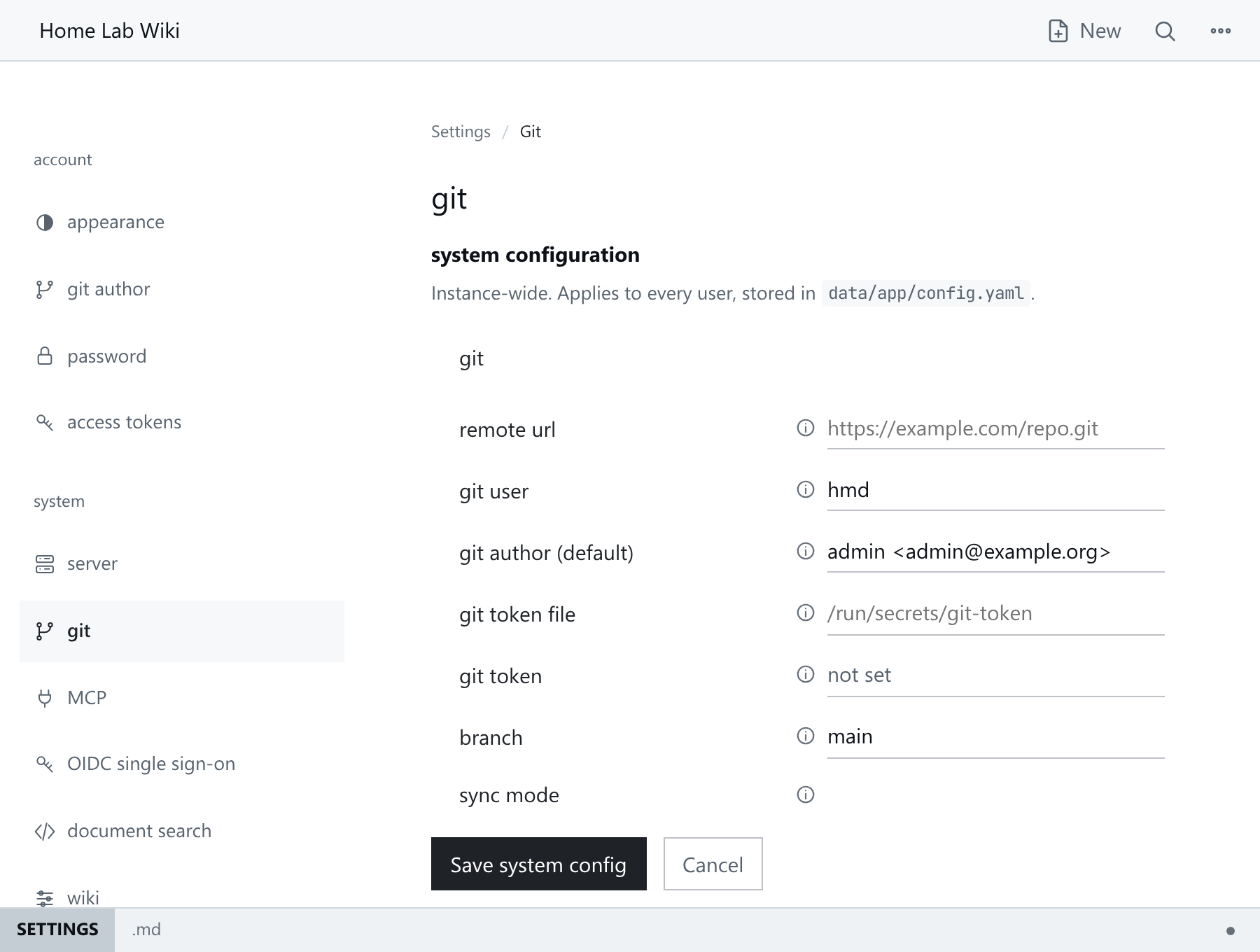
Set the mode in config.yaml (git.sync_mode) or at /_/settings/git, which also shows the current sync state:
Remotes
- Use an HTTPS remote. SSH remotes are not supported.
- Public repositories clone and fetch without a token. Private repositories and authenticated pushes need credentials.
- Supply the token as
HMD_GIT_TOKENor in a private file referenced bygit.token_file. A token cannot be saved inconfig.yamlor entered in the UI, and a legacygit.tokenkey is ignored.
See Configuration.
Read-only mirror
Read-only mode serves a Git repository without allowing any changes, for example to browse the official documentation locally:
mkdir -p -m 700 hmd-docs
HMD_SERVER_BIND=127.0.0.1:8080 \
HMD_APP_DIR=hmd-docs/app \
HMD_SERVER_REPO_DIR=hmd-docs/repo \
HMD_SERVER_READ_ONLY=true \
HMD_GIT_REMOTE_URL=https://github.com/soollabs/docs.git \
./hmd
Then open http://127.0.0.1:8080/holdmydocs/.
- No account or token is needed for a public repository. Private repositories need a Git token, and private namespaces still need a sign-in.
- Nobody can save pages, upload or change settings, administrators included. Signed-in users with write access can try the editor, but nothing is saved.
- HMD fetches updates every 10 seconds. Reload the page to see them.
- Keep
hmd-docsto reuse the download next time. Use a new folder for a different repository.
Commits and history
See Git And History for what HMD commits, who is credited and how to restore pages.
Push failures
A failed push does not undo the local commit. Check the sync state and server logs, fix the remote problem (credentials, network, host availability), then run push now from the command palette. See Monitoring And Maintenance.
A push is also refused when the remote has commits the server lacks. Use bidirectional mode, or merge them on the server as described in Git And History.
Remote changes
In bidirectional mode, remote changes are pulled on the sync poll. If one reaches the page you are editing, your save shows the normal conflict screen. See Pages.
A pull deletes uncommitted changes in the repository folder, including new files. Commit anything you change outside HMD before it syncs.
If both sides have new commits, sync fails as divergent and HMD does not merge. See Git And History for the recovery steps.