A wiki that gets on with it.
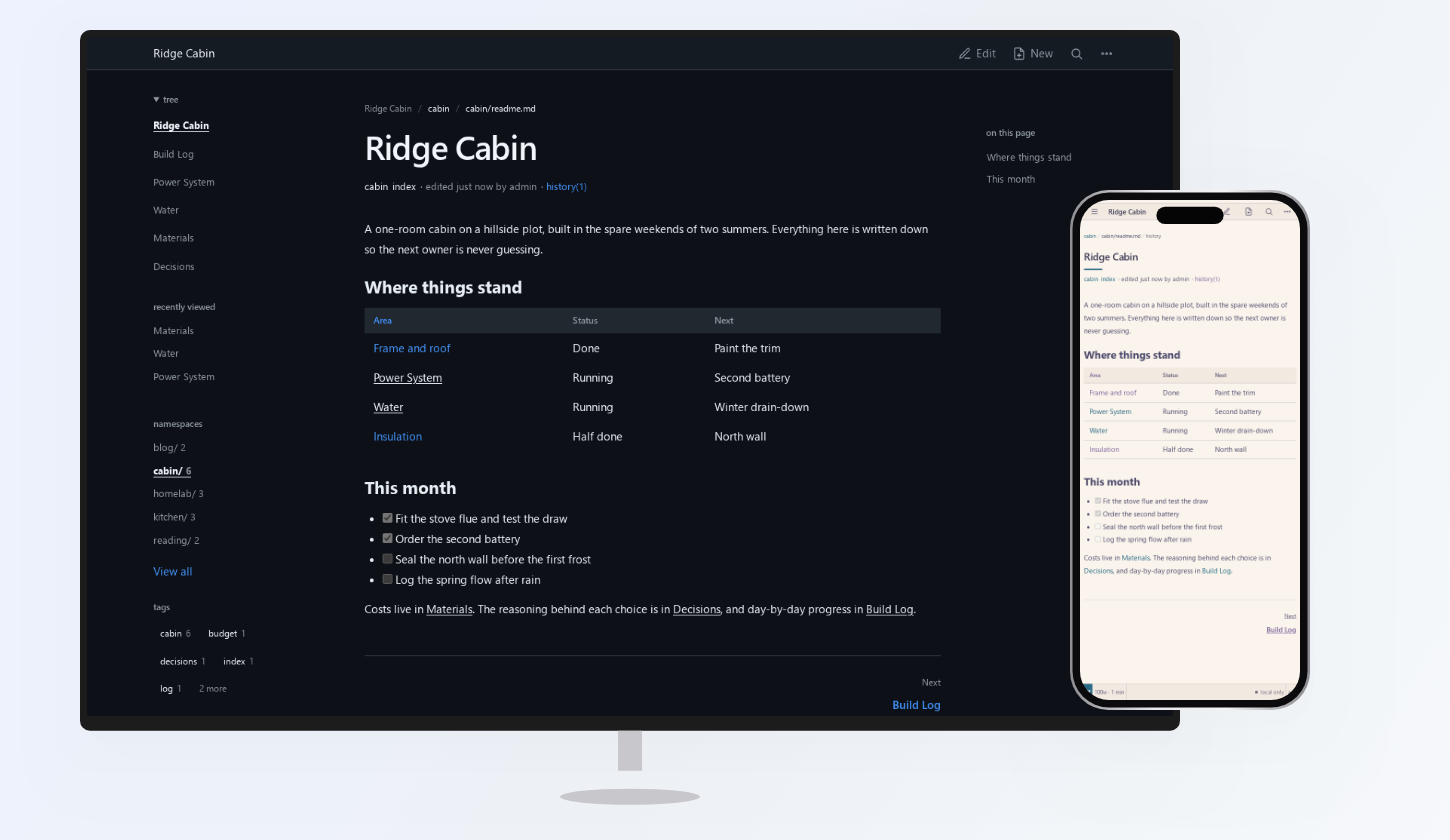
Hold My Docs (HMD) is a browser-based place to write, find and share documentation: a personal knowledge base, a team's internal guides or a public docs site like this one. Pages are Markdown files in a Git repository, so you can back them up or edit them with other tools. You do not need to know Git.
New here? If someone runs HMD for you, start with Your First Wiki. To set it up yourself, follow Install HMD and First-Run Setup first.
Features
- You write Markdown in the browser, with a preview, images, files, tables and diagrams. Every save is a Git commit, so you can see what changed and restore earlier versions.
- Pages link to each other with wiki-links and backlinks, and search covers titles, text and tags.
- Namespaces split the wiki into areas with their own navigation, appearance and visibility.
- A namespace can stay private, open for anyone to read, or be exported as a static website that needs only a file host. This site is one of those exports.
- An AI assistant can connect through MCP with read or maintain permission on selected namespaces, and its edits land in the same Git history. See MCP Integration.
Start with what you want to do
- For a personal wiki, follow Your First Wiki, then Links And Navigation.
- For project or team docs, start with Namespaces and set up Authentication And Access before inviting people.
- To publish public product docs, follow Static Export.
- To give an AI assistant a knowledge base, start with MCP Integration and the LLM Wiki example.
Explore the documentation
- Getting Started: installation, a tutorial and core concepts.
- Writing And Organising: pages, Markdown, links, images and namespaces.
- Running HMD: configuration, accounts, Git sync, backups and upgrades.
- Integrations: reverse proxies, AI assistants and static publishing.
- Reference: configuration keys, API endpoints and MCP tools.
Is HMD right for you?
- HMD is a single Go application. Start with local storage and add a Git remote later; no separate database is needed.
- You are responsible for updates, access controls and backups.
- It is not a real-time collaborative editor: conflicting saves must be resolved.
- Git remotes use HTTPS, not SSH.
See Limitations and FAQ before planning a deployment.
Next: Install HMD, then Your First Wiki.