Turn a namespace into a self-contained static website you can host anywhere, with no HMD instance behind it.
Prerequisites
- A namespace with at least one page. The export action only appears then.
- The address the site will be published at, set in Edit → Static site → export base URL, for example
https://docs.example.org/. - Optional: a homepage, set in Edit → General → index page. Without one, visitors start on a page that asks them to pick from the sidebar.
Everything in the namespace becomes public, including attachments no page links to. HMD sign-in does not protect an exported site.
Export a namespace
-
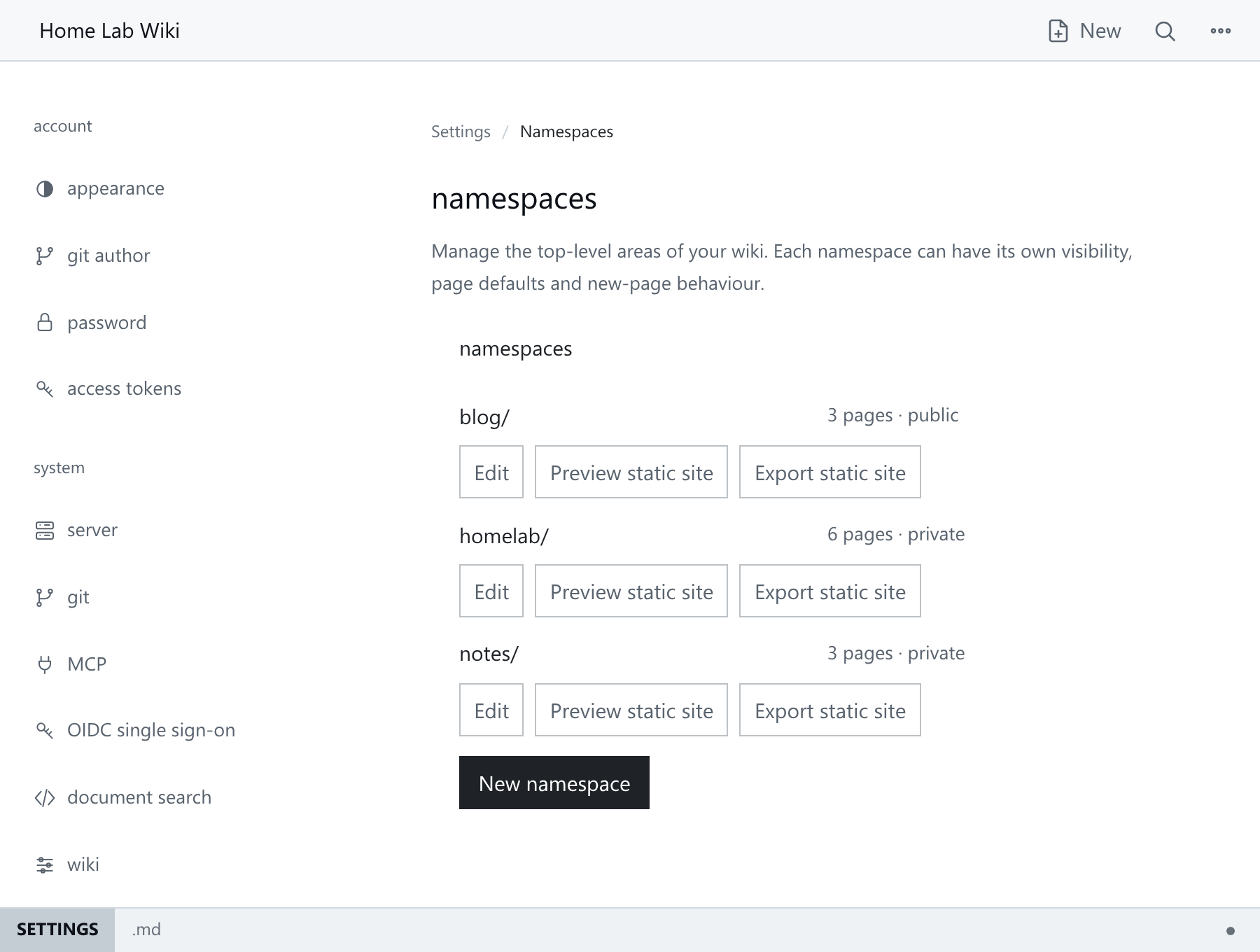
Open Namespaces from the settings menu. Each row shows name, page count, visibility and Edit / Preview / Export actions.
-
Click Export static site next to the namespace. Your browser downloads
{namespace}-export.zip. -
Unpack the archive. It holds an
index.html, one folder per page, the namespace's attachments, and shared styles and scripts:index.html readme/index.html servers/index.html networking/index.html docker/index.html backups/index.html monitoring/index.html attachments/… style.css skins.css app.js … -
Serve the unpacked directory over HTTP and check the layout, links, sidebar and images. A local
file://URL may block scripts or search.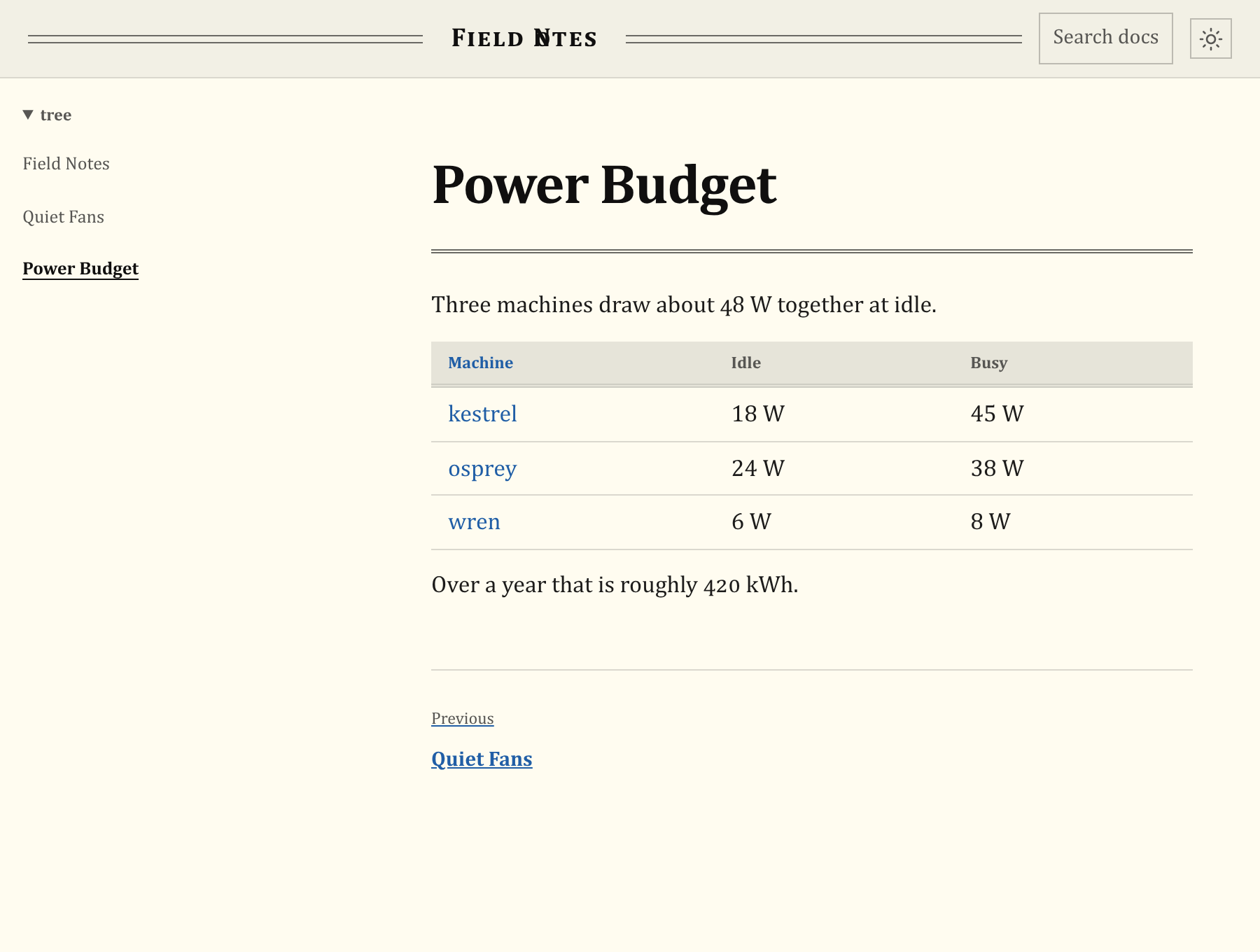
-
Upload the directory to a static file server or CDN.
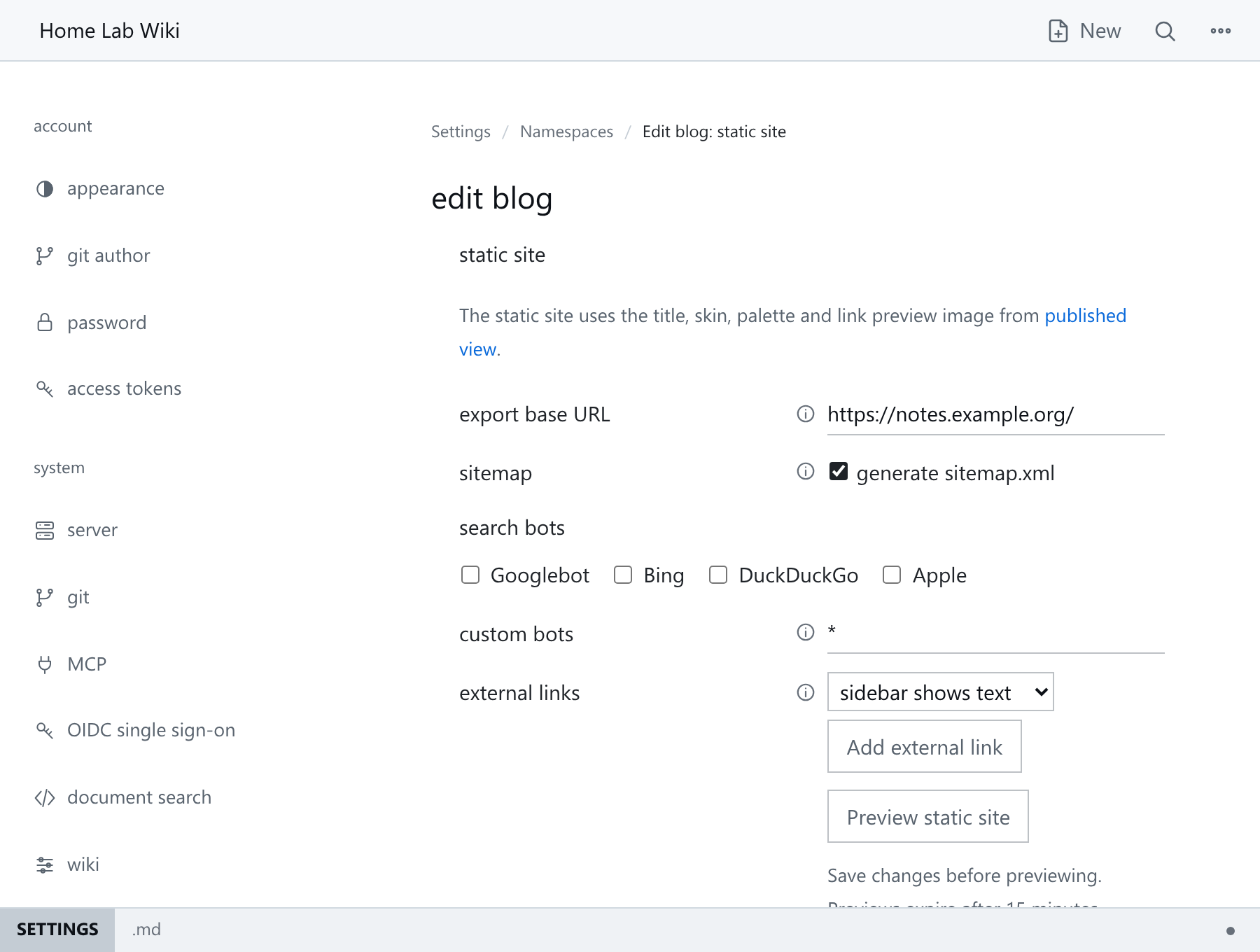
The Edit → Static site page controls the publishing URL, sitemap, bot rules and external links:
Preview without downloading
Save the Static site settings, then choose Preview to open a snapshot in a new tab. Generate a new preview after each change.
- Only its creator can open it, and they need
adminaccess to the namespace. - Previews expire after 15 minutes. A new preview for the same namespace replaces your previous one.
- An instance allows four active previews. If it is full, wait for one to expire.
- Previewing does not publish the site or save settings.
- Sitemap entries use the publishing URL. Non-image attachments download instead of opening.
What the export contains
| Setting | Behaviour |
|---|---|
| Sitemap | A sitemap.xml for search engines. On by default. |
| Search bots | Blocked by default. Tick the bots to allow, or enter * in custom bots to allow all. Bots treat this as a request, not a lock. |
| External links | Extra links in the sidebar or top bar, shown as text or icons. |
The site uses the namespace's look and page order, without editing controls.
- Links between pages in the namespace keep working. Links to pages in other namespaces become plain text, so use wiki-links between your docs pages.
- Every attachment is included, even ones no page links to.
- Search runs in the browser with Search docs or Ctrl+K (Cmd+K on macOS) and covers page text only.
- Every page gets a description, a canonical address and link preview tags, built from the publishing URL. See Link previews in Namespaces.
- Hidden pages, editing, sign-in, history and backlinks are left out.
- The site works at the root of a domain, under a folder such as
/docs/, or from a local folder.
Before you publish
- Export into an empty folder. Reusing an old export can leave deleted pages online.
- Preview it locally from the unpacked folder with
python3 -m http.server 8000, then open http://127.0.0.1:8000/. - Click through the homepage, a few pages, images and downloads.
- Upload the whole folder, replacing the previous copy. Keep the previous export in case you need to roll back.
Command-line export
For automated publishing, run the export from the command line. It uses the namespace's settings; flags override them for one run:
hmd -export-namespace holdmydocs -export-dir ./site \
  -export-base-url https://docs.example.org/manual/ \
  -export-sitemap=true \
  -export-robots-allow Googlebot,bingbot \
  -export-links '[{"label":"GitHub","url":"https://github.com/soollabs/holdmydocs","icon":"fa-brands fa-github","location":"topbar","icon_only":true}]'
-export-sitemap=false turns off the sitemap, -export-robots-allow '' blocks all bots and -export-links '[]' removes external links. The export needs a publishing address, from the namespace settings or -export-base-url.
Common pitfalls
- No export action. The namespace has no pages yet. Create one first.
- Export fails with "link preview image not found". The namespace's link preview image was deleted or renamed. Choose another under Edit → Published, or none.
- Stale site. The export is a snapshot. Re-export after editing pages or attachments, or after moving pages.
Next steps
- Reverse Proxies for serving HMD itself behind a reverse proxy.
- Namespace Configuration Reference for the page tree, skin, and palette the export mirrors.